

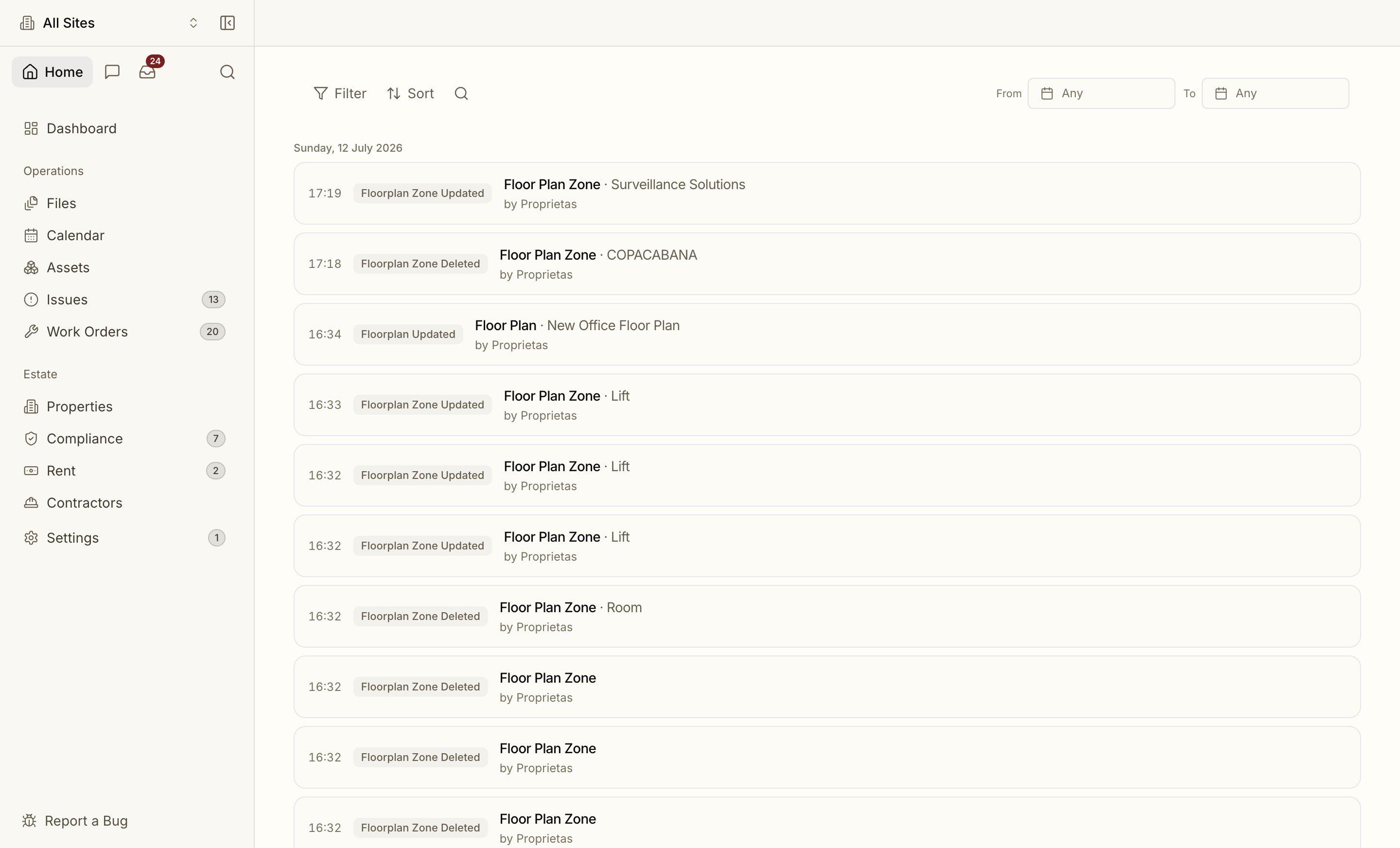
Logged by Default
Every write to a compliance, lease, contractor, work-order, financial or membership record produces an audit event in the same database transaction as the change itself. If the change is saved, so is its record. They can’t come apart. Each event captures:- Actor: the user (or the system, for automated jobs like reminders)
- Before and after: snapshots of what changed
- IP and user-agent: the request context
- Subject: exactly which record was touched
What’s Covered
The audit trail spans the whole product, with over a hundred event types, including:- Compliance: certificate uploaded, replaced, regime pack applied
- Leases: uploaded, amended, break/review added or removed, deed created
- Members: invited, accepted, role changed, join requested / approved / denied
- Work orders: created, quoted, tender overridden, payment logged, completed via portal
- Billing: subscription started, upgraded, downgraded, payment succeeded / failed
- Contractors, sites, rent, documents, and data-rights actions (export, erasure)
In the App
Open the Audit Log from Settings, from Cmd K, or from the Recent Activity block on your dashboard. It’s a read-only data grid, one row per event, with columns for Time, Event, Subject, Site and Actor.- Filter by event, site or actor, search the subject, and set a From and To date range.
- Click a row to open the event in a side panel: who did it, when, the record touched, its site, and a field-by-field list of Changes from before to after.
- Export the rows you’ve filtered, so you can hand an inspector or insurer exactly the slice they asked for.
Audit history is retained for a minimum of seven years, in line with insurance and statutory expectations.