

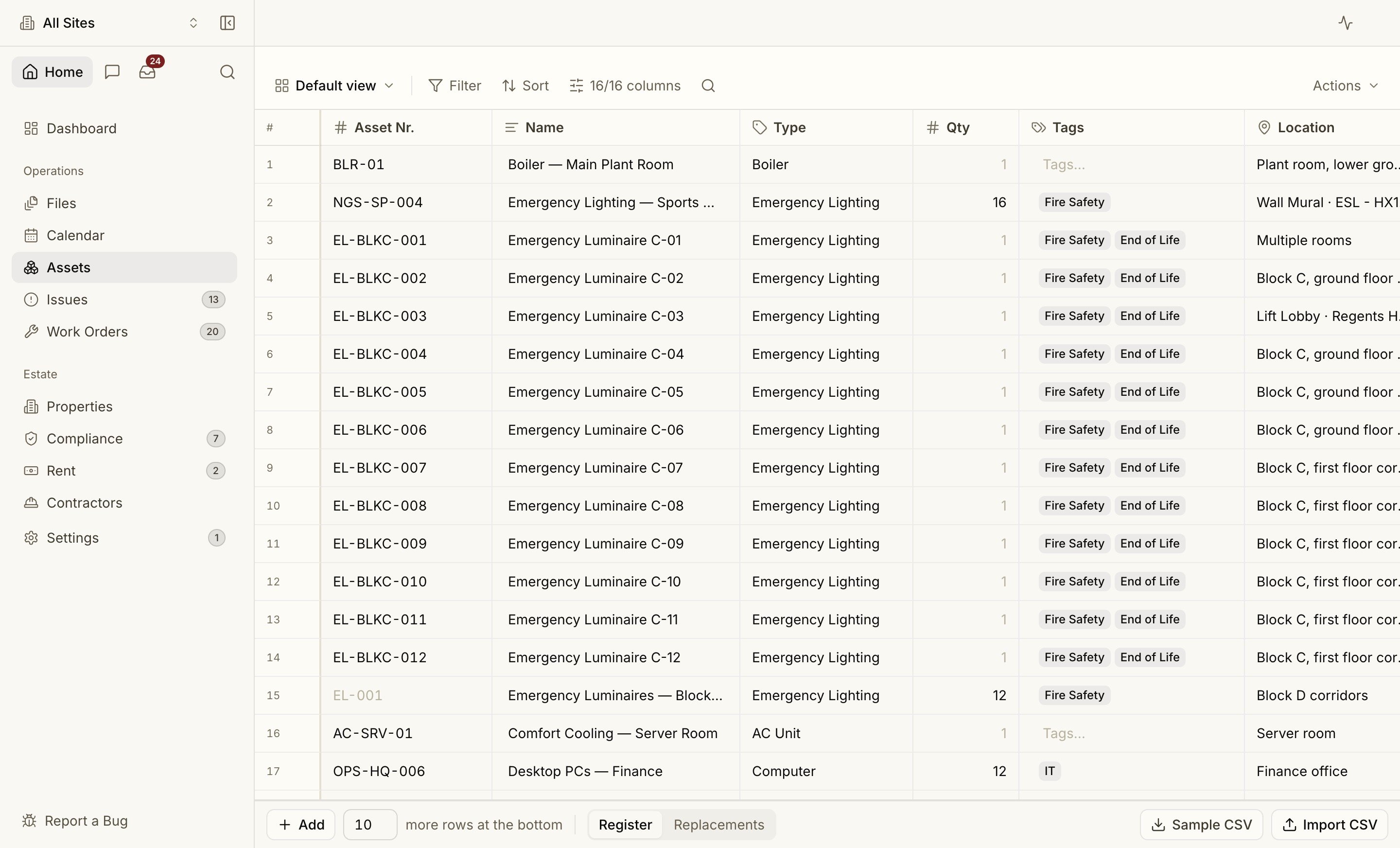
A Real Data Grid
Assets is a true grid, not a list of cards:- Inline edit — double-click (or just start typing) in a cell to edit; Tab moves to the next cell.
- Fill down — drag the fill handle to copy a value down a column.
- Filter, sort and search from the toolbar, with saved views so a filtered slice is one click away.
- Frozen header and toolbar — they stay put while the rows scroll.
- Multi-select rows for bulk actions, and a + Add N rows footer to append in bulk.
- CSV import (with a downloadable sample) and export, for moving a register in or out.
- Cmd Z to undo — including restoring rows you’ve deleted.
What an Asset Holds
Assets are org-wide: scope to a single property and the grid narrows to that site; clear the scope to see the whole estate. Pin any asset to its real room on a floor plan.
Replacements and fault history
Service life plus install date drive the Replacements register and capital forecast — so kit nearing end-of-life surfaces before it fails. When work orders are logged against an asset, its fault history feeds the Investigations signals that flag a unit failing more often than its peers.Floor plans
Pin assets to rooms on the actual drawing.
Work orders
Repairs and services logged against an asset build its fault history.