

Reporting Without an Account
Every site and unit has a public reporting link (and QR code). A tenant, member of staff or visitor opens it, describes the problem, and it lands in your Issues list with no signup and no login. They get a token to revisit and check the status without an account. This is deliberate: the people who spot problems are rarely the people with logins. Removing the account barrier is what keeps your issue data real.Logging an Issue Yourself
Editors can also log an issue by hand, for example after a phone call or a site walk.1
Start a new row
Click + New Issue at the bottom of the Issues grid. You can also choose New Issue from the quick actions in Cmd K, which takes you straight to that row.
2
Type a title
Type what’s wrong and press Enter.
3
Pick a site
Choose the site it belongs to. If you’re scoped to one site, it’s already filled in.
Automatic Triage
When an issue arrives, Proprietas reads the description and proposes a category and priority (low / medium / high / urgent), with a short triage note. You can override either, and every correction you make is captured, so the triage gets better over time.Working an Issue
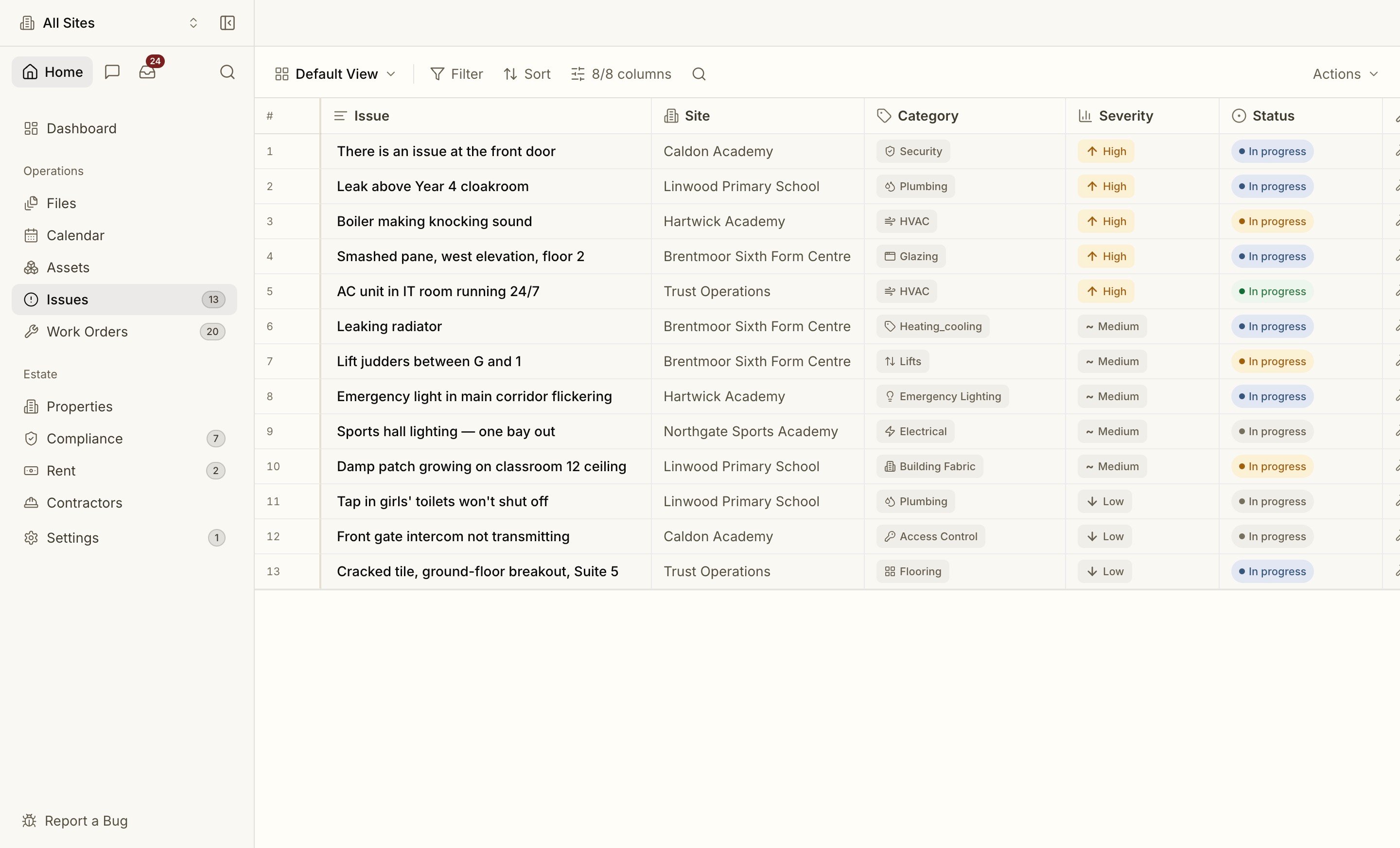
Issues move through a clear lifecycle: New → Triaged → Assigned → In progress → Resolved → Closed (with a Duplicate path). The list works like an inbox: unread issues are marked, filters cover status, priority, assignee (“mine” / “unassigned”) and text search, and the default view shows what’s still open. Click an issue to open it in the side panel beside the list. Assign it to a team member, leave notes on the thread, and when it needs real repair work, promote it to a work order. The link between the issue and the work order is kept, so the original report stays connected to the fix.Issues, Work Orders and Assets all use the same spreadsheet-style data grid. Filter, sort and search from a fixed toolbar, save views, and the header stays frozen while the rows scroll. Search results and the assistant can drop you straight into a pre-filtered grid via Open in grid.
Issues sitting too long with one owner are flagged automatically, with priority-aware thresholds, so nothing quietly rots in someone’s queue.
Work orders
Turning an issue into scheduled, costed, contractor work.