

Filing a Certificate
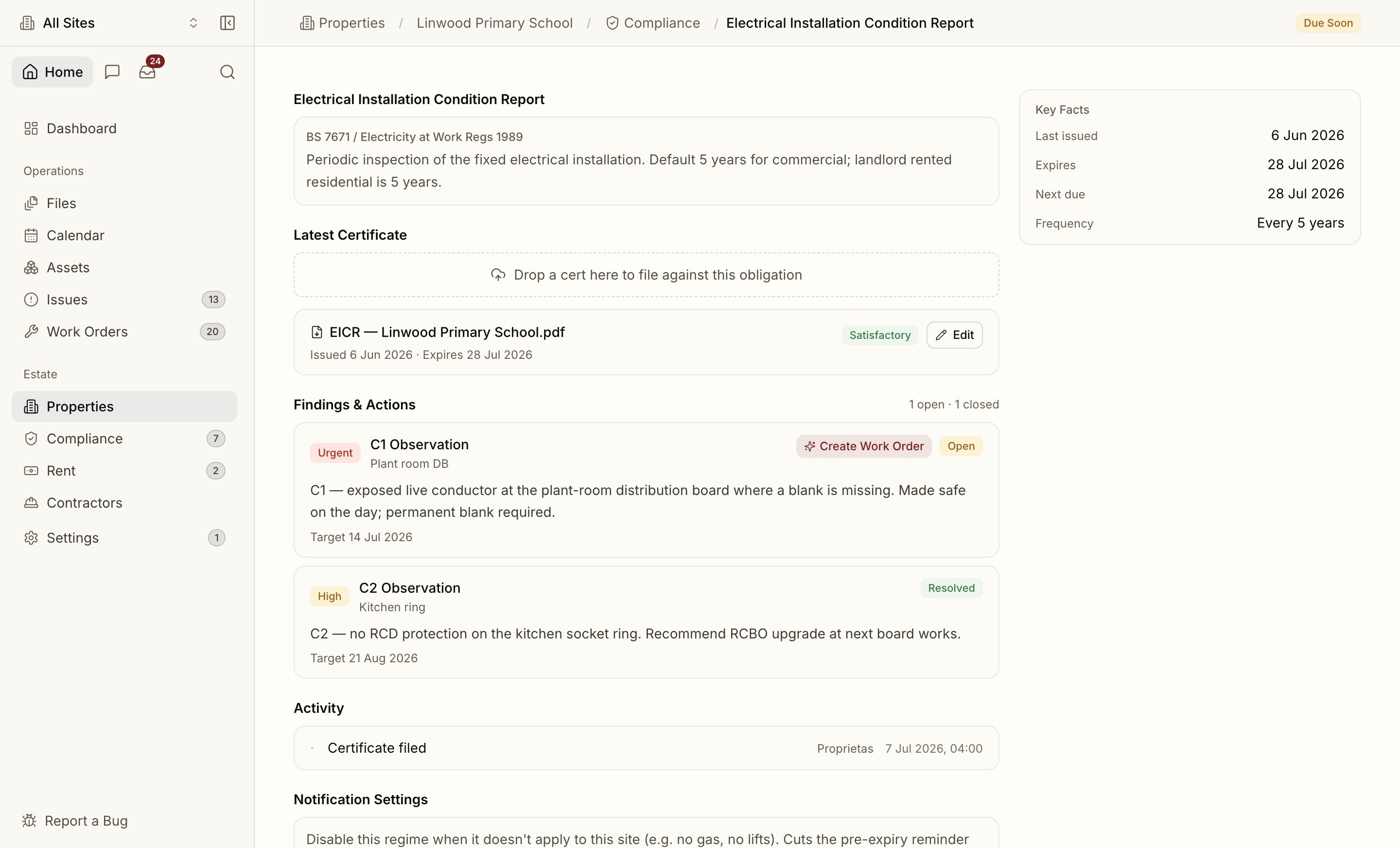
Open any obligation and drop the PDF onto it — or just drop it anywhere in the app and let intake route it. The parser extracts:- Issue date and expiry date (which drive the status)
- Certificate number and inspector / inspecting body (Gas Safe, NICEIC, etc.)
- Outcome — satisfactory / unsatisfactory / action required
- Risk level for risk assessments (low / moderate / high)
Statutory expiry dates the parser isn’t confident about are held for a human to confirm — they’re never auto-filed wrong. You’ll find them in the Inbox.
Findings and Remedial Actions
Fire risk assessments and EICRs don’t just expire — they raise findings. Proprietas extracts each action item with its priority, category (fire door, C2 observation, emergency lighting) and recommended deadline, so the remedials don’t get lost at the back of a 40-page report. A finding can be resolved by raising a work order against it — the link is kept, so you can prove the action was closed out.Replacing a Certificate
When a fresh certificate supersedes an old one, the new expiry takes over and the obligation’s status updates automatically. The previous certificate isn’t deleted — it’s marked superseded and stays in the obligation’s history for the audit trail.Contractor Competence
If the certificate was uploaded by a contractor through the portal, the obligation closes itself with the new expiry. Proprietas also watches the contractor’s own competence certificates (Gas Safe, NICEIC, SafeContractor, CHAS) — an expired one can block them from being assigned new work until it’s refreshed.Reminders & escalation
How Proprietas warns you before a certificate lapses.