

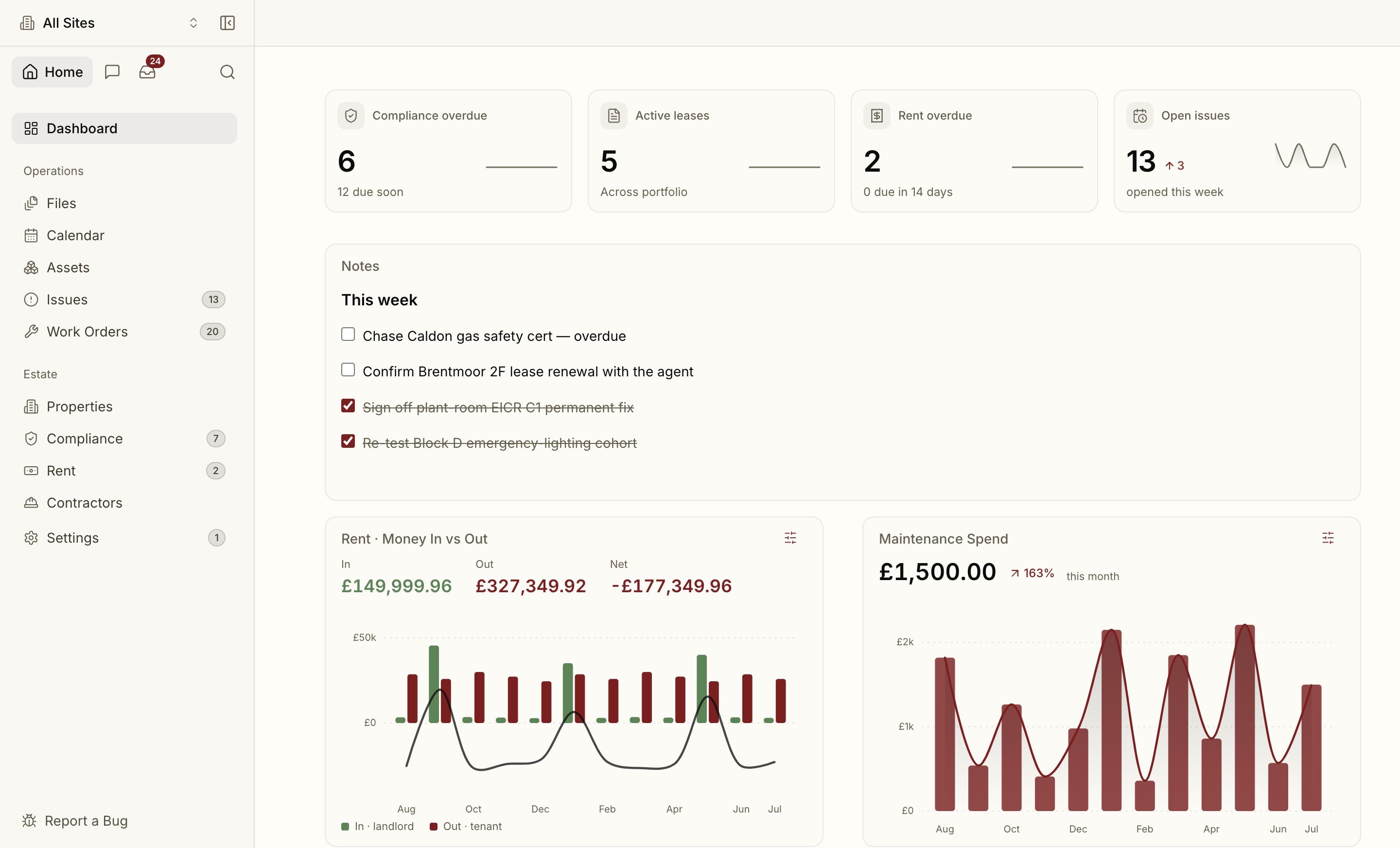
The sidebar
The left sidebar mirrors how estates teams work day to day. Default groups:
Entries show a count badge when something needs attention: overdue compliance, open issues, unassigned work orders, pending join requests. A badge is a nudge, not noise — it only appears when there’s something to act on.
You can collapse groups and reorder items for your own workspace; Settings stays pinned.
Property scope
The single most important control is the property switcher in the top bar. Proprietas is portfolio-wide by default, but pick a property and the whole app narrows to it — every list, every status, every report. Your choice persists across reloads, so you can work inside one site for as long as you need, then clear it to go back to the whole portfolio.When you see a number that surprises you, check the property scope first — you may be looking at one site rather than the whole portfolio, or vice versa.
The top bar
The top bar carries the property switcher, universal search, the assistant, and your notifications bell. Notifications cover the things that can’t wait — a compliance deadline approaching, a new issue reported, a member requesting access.Calendar
Calendar (under Operations) is the in-app month view for compliance deadlines, lease breaks and reviews, rent, and scheduled work — colour-coded by overdue, due soon and upcoming. To mirror those dates into Apple, Google or Outlook, see Calendar sync.Lists and data grids
The high-volume surfaces — Issues, Work orders and Assets — are spreadsheet-style data grids. They share one toolbar (filter, sort, search and saved views), keep their header and toolbar frozen while the rows scroll, and support inline edit and keyboard navigation (see Keyboard shortcuts). Universal search and the assistant can drop you straight into one of these grids pre-filtered to the rows you asked for.Settings
Everything administrative lives under Settings: organisation profile, members and invitations, single sign-on and verified domains, billing and AI usage, calendar subscriptions, MCP connectors, and notification preferences. Admin-only sections are clearly marked and hidden from non-admins.Universal search
Jump anywhere with Cmd K.
The assistant
Ask your portfolio anything.