

Regimes and Obligations
When you create a workspace, Proprietas seeds the full catalog of UK statutory regimes — Fire Risk Assessment, legionella/L8, EICR, gas safety, LOLER, asbestos, PAT, EPC, F-Gas, TM44, fire alarm, emergency lighting, insurance certificates and more.Site Purpose
Each site’s Purpose decides which items it tracks. Set it from the site’s page under Purpose, and Proprietas adds the items UK law and industry guidance expect for that kind of building. Every workplace purpose starts from the same core: fire risk assessment, weekly fire alarm tests and annual servicing, monthly and annual emergency lighting, extinguisher servicing, legionella risk assessment, monthly water temperatures, EICR, PAT and the asbestos management plan. Each purpose then adds its own:
Homes don’t use the workplace core:
Each item keeps its statutory interval: a landlord gas safety record every year, an EICR every 5 years (3 for industrial sites), a care-home hoist every 6 months. Where the law sets the interval by risk assessment, as with a fire risk assessment, the default is annual and you can change it.
Changing a site’s purpose adds the new items and retires the ones that no longer apply. Retired items keep their certificates and history.
For rented homes, the smoke and CO alarm check falls due on the start date of each new tenancy, as the 2022 regulations require.
Add a Single Item
Some items depend on what’s fitted rather than the building type: lifts, air conditioning, sprinklers, medical gas pipelines, specialised ventilation, Pseudomonas sampling. Open the site’s compliance list, press + and pick from the full catalogue. Items marked Add if fitted are the ones usually found in that kind of building, listed first. Uploading a certificate for an item the site doesn’t track yet also adds it.Statuses
Each site × item produces a compliance obligation with a default frequency and a computed next-due date. Obligations show one of these statuses:The Compliance View
The compliance page is a portfolio grid: one row per site and one column per category (Fire, Water, Electrical, Gas, Lifts and so on). Each cell shows the most urgent status in that category, so the whole estate’s position reads at a glance. Scroll sideways for more categories. Filter by Status to find every site with an overdue item, or filter a single category column. Search, sort and column choices work as on every other grid, and the grid is pre-filterable by deep link, so search and the assistant can drop you onto the overdue slice they’re describing. Click a site to open its items in a side panel, grouped by category. Choose Open site compliance for the full list.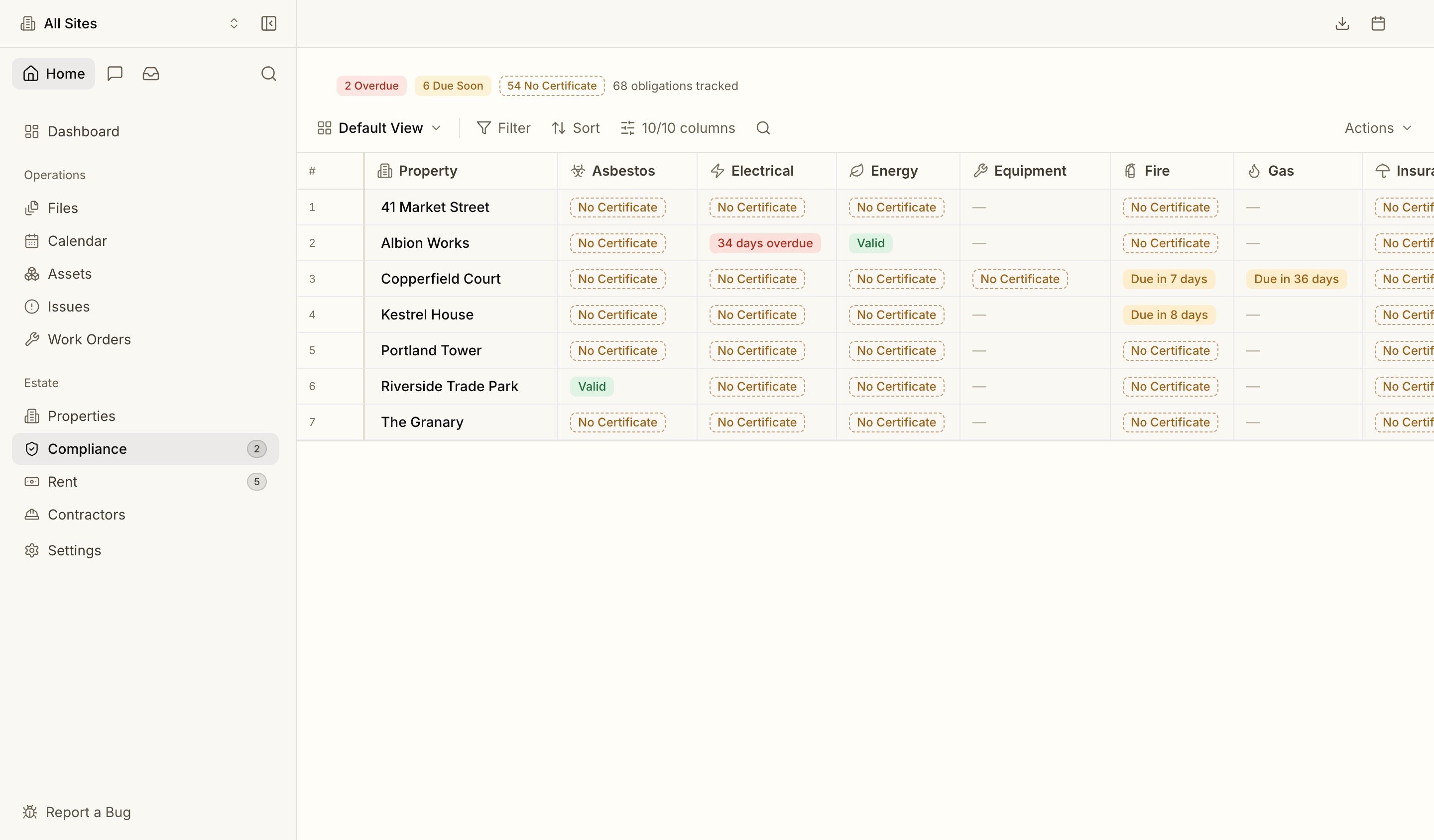
Certificates
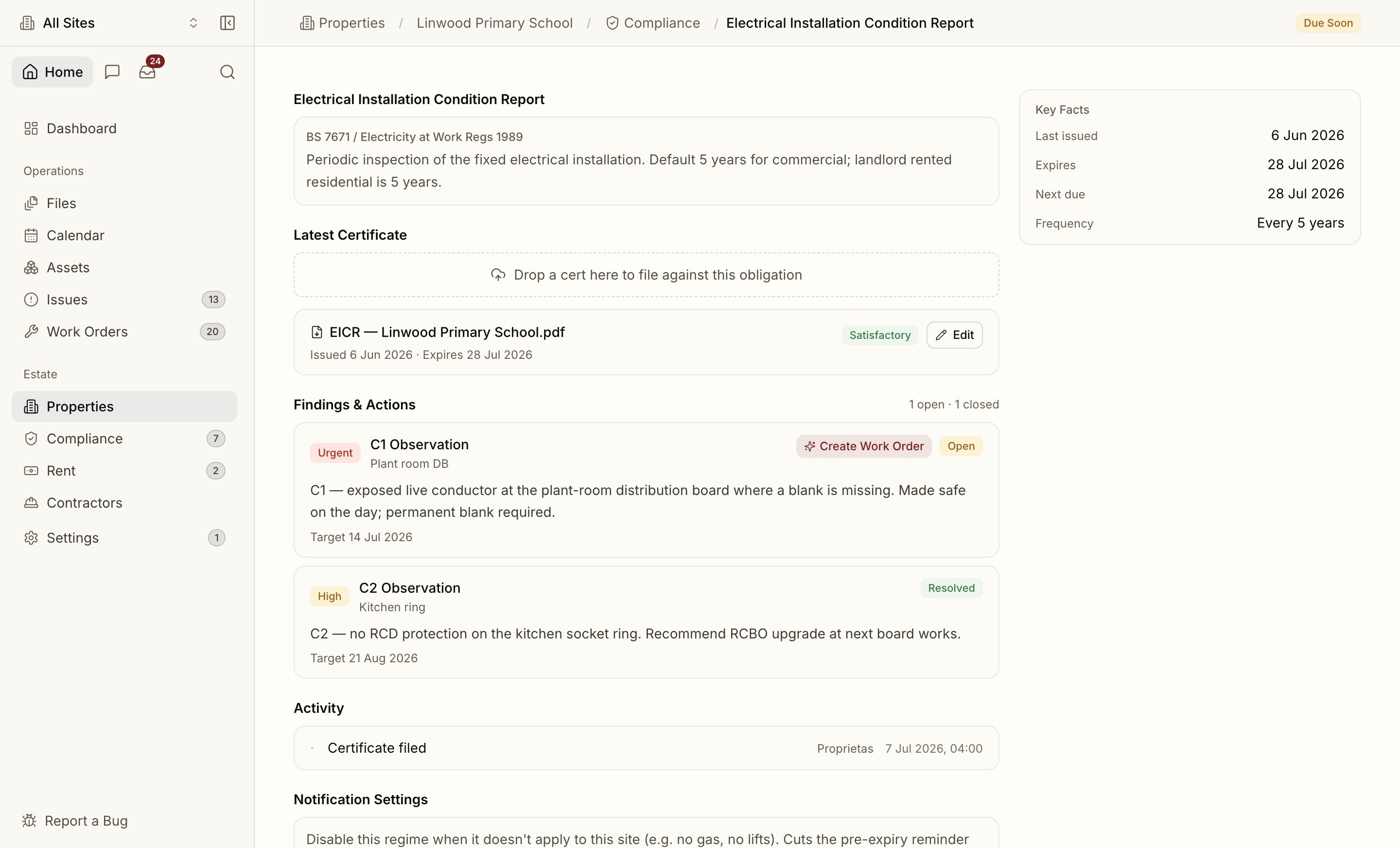
Upload a certificate against an obligation — or just drag the PDF onto the page and let intake route it. Proprietas reads the document, confirms the type, inspector and expiry, and closes the obligation with the new date.Statutory dates the parser isn’t confident about are held for a human to confirm rather than auto-filed — so a low-confidence read never silently sets the wrong expiry.
Reminders
Every obligation runs a pre-expiry workflow:- Flags at 90, 60, 30 and 7 days before expiry, by email and in-app.
- At the 7-day threshold, an automatic work order can be raised and routed to the right contractor with the existing certificate attached.
- When the contractor uploads the new certificate through their portal, the obligation closes itself with the fresh expiry.