> ## Documentation Index
> Fetch the complete documentation index at: https://docs.proprietas.app/llms.txt
> Use this file to discover all available pages before exploring further.
# Notifications
> How Proprietas nudges you, and how to control it.
Notifications are how Proprietas surfaces the things that can't wait for you to go looking — a deadline approaching, a payment overdue, a new issue, someone requesting access.
 ## The Bell
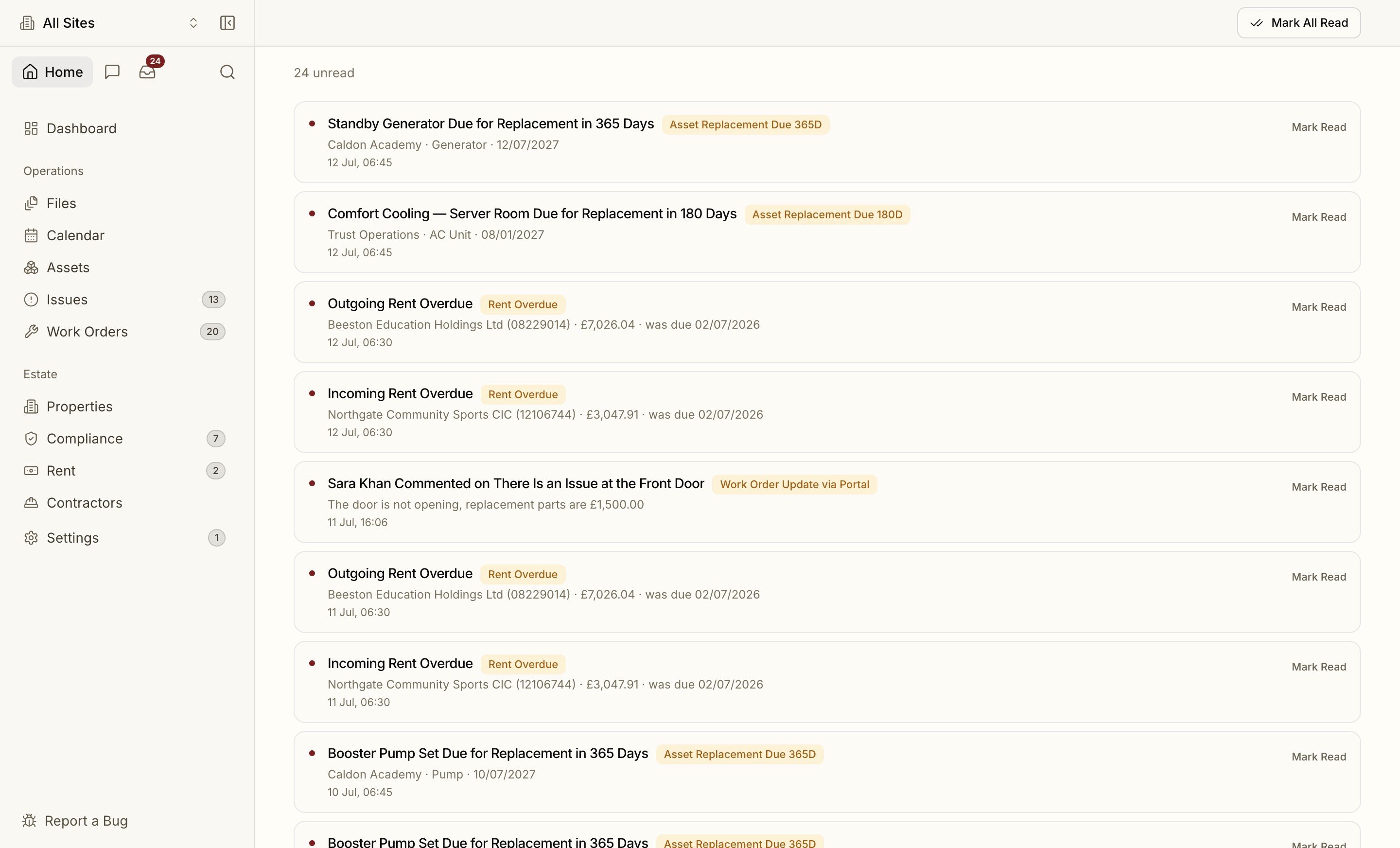
The notification bell in the top bar shows an unread count and a dot. Open it for your most recent notifications, mark them read, or jump to the full feed. Clicking a notification takes you to the thing it's about — an obligation, a rent payment, a work order — or deep-links straight into the relevant Settings panel (a join request opens Members).
## Live in the App
You don't have to watch the bell. While Proprietas is open, new notifications arrive in **real time**: a toast slides in as it happens, whether that's a fresh issue from a reporting link or an update on a work order, and clicking it takes you straight there. There's also an optional **chime**, so a busy estates desk can hear a new issue land without staring at the screen. Chimes are a per-device setting under **Settings → Notifications**, so you can have sound at your desk and silence on a laptop in a meeting.
## What You Get Notified About
* **Compliance** — pre-expiry reminders at 90, 60, 30 and 7 days
* **Rent** — due soon and overdue
* **Members** — invitations accepted, new join requests
* **Work orders & issues** — assignments
## Choosing Your Channels
Under **Settings → Notifications**, you control each category independently:
* **In-app** vs **email** per category
* A **weekly digest** option
* **SMS** reserved for the 7-day compliance red line
So a compliance officer can take expiry reminders by email while a manager takes only the weekly digest — without anyone drowning in a shared inbox.
Reminders route to a regime's **Responsible Person** and an **escalation contact**, not one catch-all address. Set these per site so the right person gets the nudge. See [Reminders & escalation](/compliance/reminders).
## The Bell
The notification bell in the top bar shows an unread count and a dot. Open it for your most recent notifications, mark them read, or jump to the full feed. Clicking a notification takes you to the thing it's about — an obligation, a rent payment, a work order — or deep-links straight into the relevant Settings panel (a join request opens Members).
## Live in the App
You don't have to watch the bell. While Proprietas is open, new notifications arrive in **real time**: a toast slides in as it happens, whether that's a fresh issue from a reporting link or an update on a work order, and clicking it takes you straight there. There's also an optional **chime**, so a busy estates desk can hear a new issue land without staring at the screen. Chimes are a per-device setting under **Settings → Notifications**, so you can have sound at your desk and silence on a laptop in a meeting.
## What You Get Notified About
* **Compliance** — pre-expiry reminders at 90, 60, 30 and 7 days
* **Rent** — due soon and overdue
* **Members** — invitations accepted, new join requests
* **Work orders & issues** — assignments
## Choosing Your Channels
Under **Settings → Notifications**, you control each category independently:
* **In-app** vs **email** per category
* A **weekly digest** option
* **SMS** reserved for the 7-day compliance red line
So a compliance officer can take expiry reminders by email while a manager takes only the weekly digest — without anyone drowning in a shared inbox.
Reminders route to a regime's **Responsible Person** and an **escalation contact**, not one catch-all address. Set these per site so the right person gets the nudge. See [Reminders & escalation](/compliance/reminders).