> ## Documentation Index
> Fetch the complete documentation index at: https://docs.proprietas.app/llms.txt
> Use this file to discover all available pages before exploring further.
# Contractors
> Your contractor directory, competence certificates and scoping.
Contractors are the people who do the work. Proprietas keeps a directory of them, tracks their competence, and controls where they're visible.
 ## The Directory
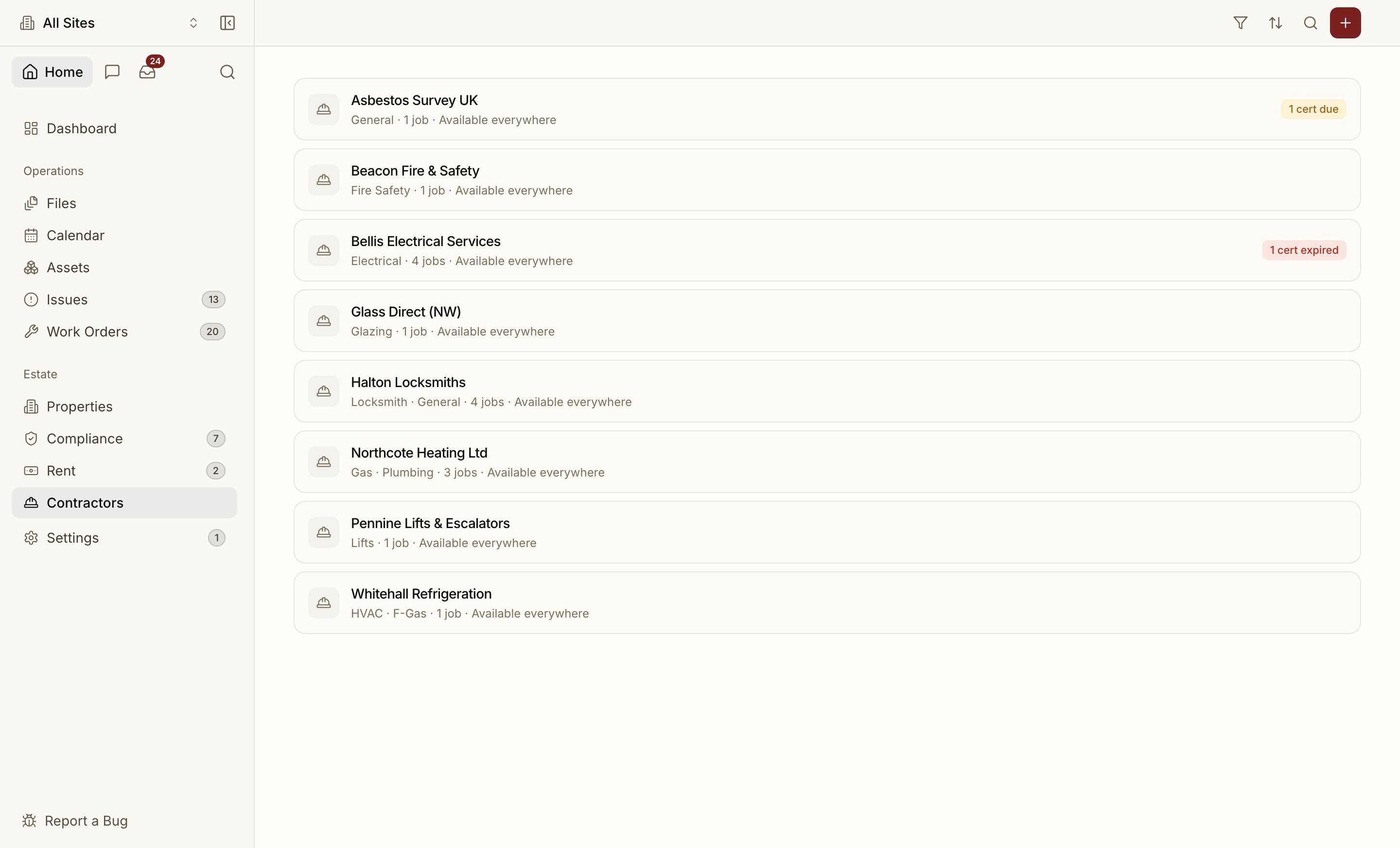
Each contractor record holds the company details, trades (gas, electrical, fire safety, plumbing, general), a primary contact, insurance details and status (active / inactive / suspended). Sensitive personal details are encrypted at rest.
## Competence Certificates
A contractor's **competence certificates** — Gas Safe, NICEIC, SafeContractor, CHAS, ECA — are tracked with their numbers and expiry dates. This is what powers competence gating on [work orders](/facilities/work-orders#competence-gating): an expired ticket can block the contractor from being assigned new work until it's renewed, so you don't accidentally put an out-of-ticket trade on a regulated job.
**Upload-first, AI-filled.** Drop the certificate PDF and Proprietas reads it — the scheme, certificate number, issue and expiry dates are extracted and the form pre-filled for you to confirm. Override anything before saving; nothing low-confidence is filed silently.
## Org-Wide vs Site-Scoped
A contractor is either:
* **Org-wide** — visible and assignable at every site, or
* **Site-scoped** — visible only at the specific sites you link them to.
Site-scoping keeps a managing agent's per-client contractor lists clean, and stops a site manager seeing trades they'd never use. **Availability is editable at any time** — switch a contractor between org-wide and a specific set of sites as your arrangements change.
## Contacts and Self-Enrolment
A contractor can have several **contacts** (their employees). A contact can link to a login and sign in to the [portal](/facilities/contractor-portal) to see every job their company is engaged on — but they only ever see their own work, enforced at the server, never just hidden in the UI.
How contractors accept jobs and upload certificates without an account.
## The Directory
Each contractor record holds the company details, trades (gas, electrical, fire safety, plumbing, general), a primary contact, insurance details and status (active / inactive / suspended). Sensitive personal details are encrypted at rest.
## Competence Certificates
A contractor's **competence certificates** — Gas Safe, NICEIC, SafeContractor, CHAS, ECA — are tracked with their numbers and expiry dates. This is what powers competence gating on [work orders](/facilities/work-orders#competence-gating): an expired ticket can block the contractor from being assigned new work until it's renewed, so you don't accidentally put an out-of-ticket trade on a regulated job.
**Upload-first, AI-filled.** Drop the certificate PDF and Proprietas reads it — the scheme, certificate number, issue and expiry dates are extracted and the form pre-filled for you to confirm. Override anything before saving; nothing low-confidence is filed silently.
## Org-Wide vs Site-Scoped
A contractor is either:
* **Org-wide** — visible and assignable at every site, or
* **Site-scoped** — visible only at the specific sites you link them to.
Site-scoping keeps a managing agent's per-client contractor lists clean, and stops a site manager seeing trades they'd never use. **Availability is editable at any time** — switch a contractor between org-wide and a specific set of sites as your arrangements change.
## Contacts and Self-Enrolment
A contractor can have several **contacts** (their employees). A contact can link to a login and sign in to the [portal](/facilities/contractor-portal) to see every job their company is engaged on — but they only ever see their own work, enforced at the server, never just hidden in the UI.
How contractors accept jobs and upload certificates without an account.