> ## Documentation Index
> Fetch the complete documentation index at: https://docs.proprietas.app/llms.txt
> Use this file to discover all available pages before exploring further.
# Reminders & Escalation
> Pre-expiry alerts that reach the right person before a deadline lands.
The point of tracking compliance is to never be surprised by a deadline. Proprietas warns you on a fixed cadence, routes the warning to the person who owns it, and can raise the renewal work order for you.
## The 90 / 60 / 30 / 7 Cadence
For every obligation, reminders fire at **90, 60, 30 and 7 days** before the due date. Each one carries a one-click link straight to the obligation — no hunting.
| Days out | What happens |
| -------- | ------------------------------------------------------------------- |
| 90 | First heads-up to the Responsible Person |
| 60 | Reminder |
| 30 | Reminder |
| 7 | Final red line — and the renewal work order is raised automatically |
Reminders are idempotent. The scan can run more than once a day and you'll never get a duplicate — each threshold notifies exactly once.
## Routing to the Right People
A single shared inbox is where reminders go to die. Instead, each regime's alerts route to its **Responsible Person** and an **escalation contact** — not one catch-all address. You choose how you're nudged: in-app, email, with a weekly digest, and an SMS option reserved for the 7-day red line.
You can **snooze**, **reassign** or **mark-handled** any reminder, and the whole thread stays attached to the obligation so there's a record of who did what.
## Automatic Renewal Work Orders
At the 7-day threshold, Proprietas raises a [work order](/facilities/work-orders) to renew the certificate, routes it to the right contractor, and attaches the existing certificate so they have the context. When they upload the fresh certificate through the [portal](/facilities/contractor-portal), the obligation closes itself with the new expiry.
This behaviour is on by default and can be turned off per organisation if you'd rather raise renewals by hand.
## Recurring Checks (PPM)
Some obligations aren't certificates — they're recurring tasks: weekly fire-alarm tests, monthly emergency-lighting checks, hot/cold water temperature monitoring. These run on a cadence and log each completion. See [Planned maintenance](/compliance/planned-maintenance).
## One Calendar for Everything
Compliance due dates, lease breaks and reviews, rent, and scheduled contractor work all land on one **Calendar** — colour-coded by overdue, due soon and upcoming.
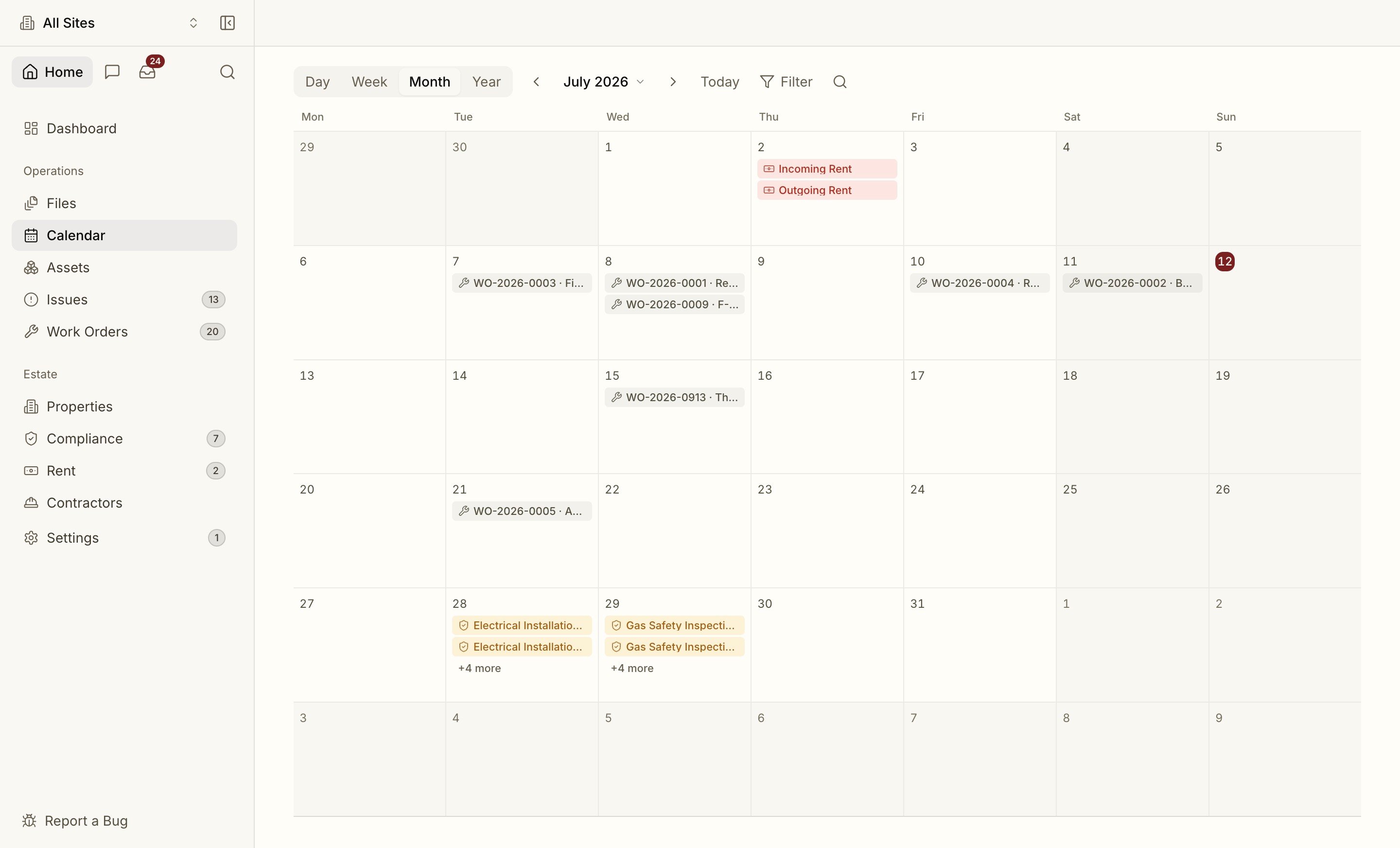 Subscribe your portfolio's due dates to Google, Outlook or Apple calendar — live.